
 Wake up
 Use the toilet
 Get dressed
 Eat breakfast
 Brush your teeth
 School
 Play outside
 Tidy up toys
 Dinner
 Bath time
 Story time
 Bedtime
Customize your chart below 👇
1Who's it for?
2How old is your child?
This loads starting cards for a whole day. Change anything below.
3Your cards
12 of 24Drag to change the order. Tap a picture to swap it.
More ideas
4Size and board
Card size
Prints on 2 pages.
Wake upUse the toiletGet dressedEat breakfastBrush your teethSchoolPlay outsideTidy up toysDinnerBath timeStory timeBedtimeShare what you made with your friends 💛
Email me the PDF 📬
We'll email you the PDF plus occasional parenting tips. Unsubscribe anytime.
Ready-made visual schedules to print
Start from one of these, then change anything you like.
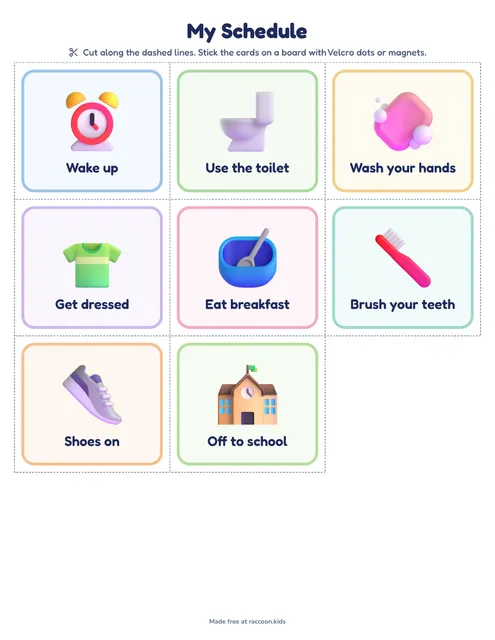 Morning cards for preschoolers8 picture cards from wake up to shoes on, with the To do / All done board.Use this one
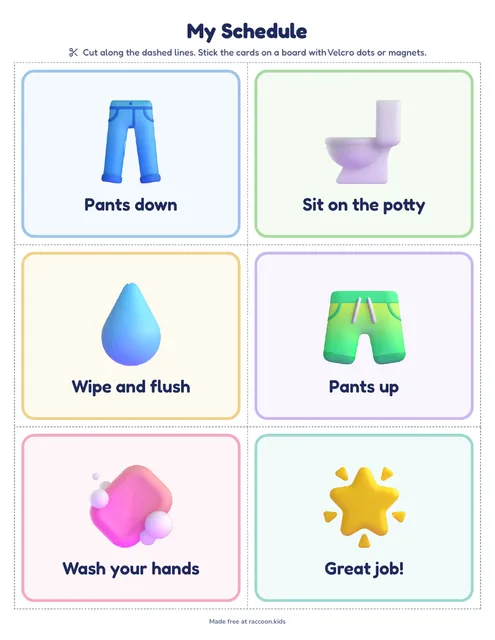 Potty training visual schedule6 big cards for the bathroom wall, one small step at a time.Use this one
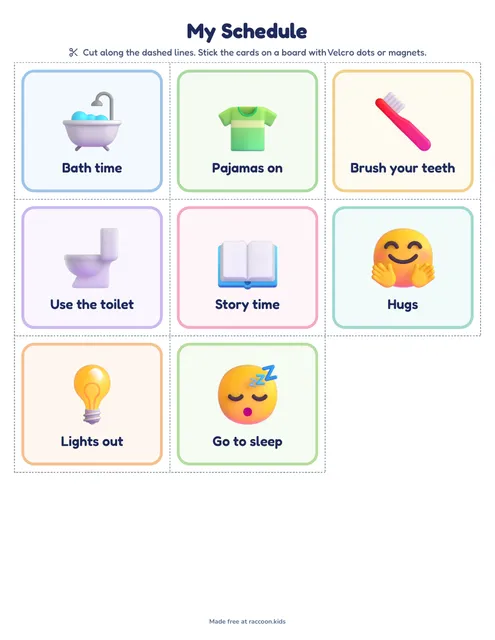 Bedtime picture cards8 calm steps from bath time to lights out, plus the board.Use this one
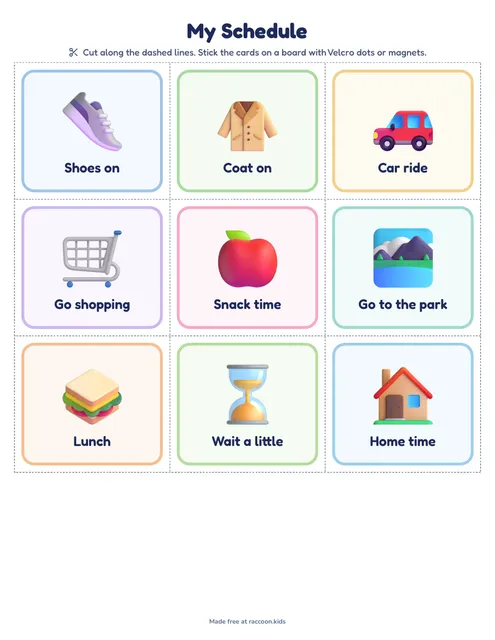 Day out picture cards9 cards for errands, trips and visits, so the plan travels with you.Use this one
How to create a visual schedule in three steps
A visual schedule is your child's day in pictures: a row of cards that shows what's happening now and what comes next. (In the UK it's usually called a visual timetable.) Kids who can't read yet still know what a toothbrush means, so the cards do the reminding and you get to do a lot less of it.
- Pick your child's age. The maker loads a starting set of picture cards for a whole day, from waking up to bedtime.
- Make the cards yours. Rename any card, tap a picture to swap it, add your own and drag them into the order your day really runs. Up to 24 cards fit.
- Pick a size and print. Big cards (6 per page) suit toddlers, small ones (20 per page) make a neat strip for the fridge. Add the To do / All done board and it prints after the cards.
Whatever you make here becomes your own visual schedule template. Copy the link or keep the PDF, and you can reprint the same cards any time a few go missing (they will).
Making a velcro visual schedule for home
The printable works fine on plain paper, but a few cheap upgrades make the cards last for months:
- Card stock or lamination. Print on thick paper or laminate the sheet before you cut, so the cards survive sticky fingers.
- Velcro dots. One on the back of each card and one on every dot on the board. That's the classic velcro visual schedule: your child moves each card from "To do" to "All done!" by themselves.
- Magnets for the fridge. Small magnet tape on the back works just as well if the board lives on the fridge door.
- An envelope for spares. Tape it to the back of the board for the cards you don't need today, like swimming or a doctor's visit.
Hang the schedule at your child's eye level, right where the routine happens: by the front door for the morning, in the bathroom for teeth and potty, next to the bed for the night.
Visual schedules for preschoolers, toddlers and potty training
For a visual schedule for preschoolers, fewer and bigger is better. Start with four to six cards for one part of the day (the morning is an easy first one), then add more once that part runs smoothly. Toddlers often do best with just the next two or three pictures in view.
A potty training visual schedule breaks one tricky moment into small steps: pants down, sit, wipe and flush, pants up, wash hands. Print it with big cards and stick it at eye level next to the toilet.
If your child needs to see just one thing at a time, try the first-then board: first shoes, then the park. Prefer one page with checkboxes over cards to move around? The daily routine chart puts the whole day on a single sheet. And for ideas on getting out the door on time, read our guide to a morning routine for kids.